
Table of Contents
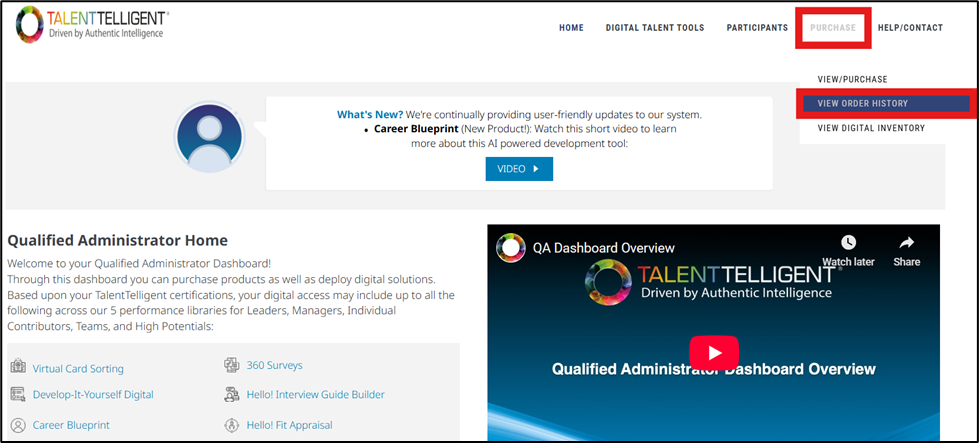
From the Qualified Administrator Home, go to Purchase → View Order History.
Page Overview #
The View Order History page allows you to view details about all previous orders made through the system. This section displays key information for each transaction, helping you keep track of past purchases and payment records.
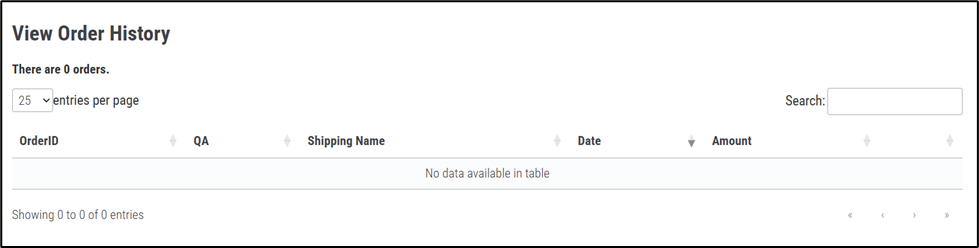
Each order includes the following details:
- Order ID – The unique identification number assigned to the order.
- QA – The Qualified Administrator associated with the purchase.
- Shipping Name – The name linked to the shipping or billing details of the order.
- Date – The date the order was placed.
- Amount – The total cost of the order.
A search bar and page display settings allow you to filter and sort your order history by specific criteria.